Opening a second restaurant outlet is an exciting milestone. However, managing multiple locations also introduces new responsibilities. Owners must monitor sales, maintain consistent service, coordinate stock, and understand the performance of each branch.
A structured management process helps businesses grow without losing control of everyday operations. The aim is to standardize what should be consistent while allowing each outlet to respond to local demand.
Common Challenges of Multi-Outlet Management
Restaurant owners with multiple locations may struggle with inconsistent processes, delayed reports, different stock levels, varied pricing or menus, and difficulty comparing outlet performance. When each branch maintains separate records, consolidating information can require additional time and effort.
Communication can also become harder as teams grow. Without clear responsibilities, small issues such as missing stock, incorrect menu settings, or delayed maintenance may remain unresolved for too long.
Five Strategies for Managing Multiple Outlets
1. Standardize Daily Processes
Create consistent procedures for opening and closing, billing, order handling, stock recording, cleaning, and staff responsibilities. Document the steps in a format employees can actually use, and review the procedures when recurring issues appear.
Standardization makes it easier to train employees and maintain a consistent customer experience without preventing managers from responding to local needs.
2. Monitor Outlet-Wise Sales
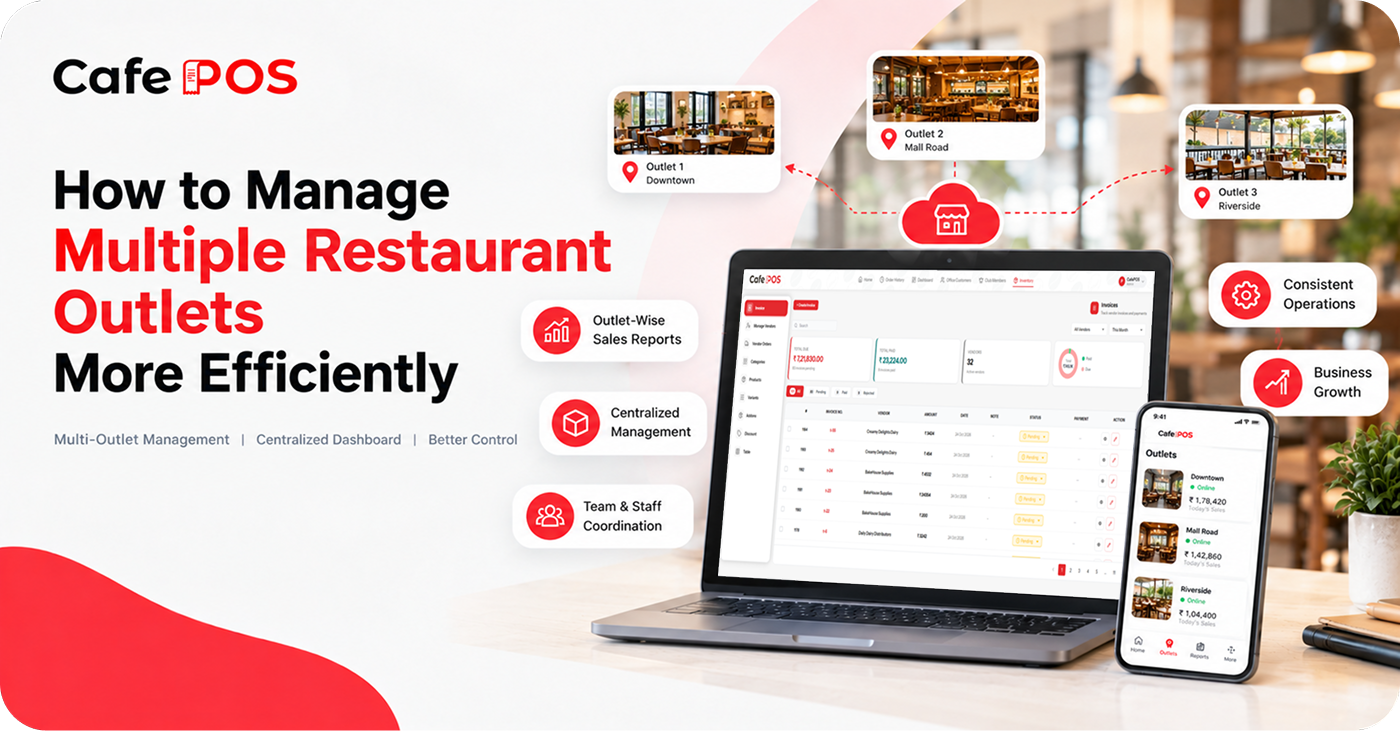
Review the performance of each location separately. Compare sales across similar time periods and consider differences in footfall, menu, operating hours, promotions, and local demand. A high-revenue outlet is not necessarily the most profitable if its operating costs are also higher.
3. Maintain Clear Inventory Records
Track stock receipts, usage, wastage, transfers, and replenishment at each outlet. Where supported, inventory systems can improve stock visibility and help owners identify items requiring attention. Define how stock transfers are approved and recorded so quantities remain consistent.
4. Define Staff Responsibilities
Assign clear roles and responsibilities to outlet managers and employees. Establish reporting procedures so that operational problems can be addressed quickly. Specify who can approve discounts, stock adjustments, refunds, supplier orders, and other sensitive actions.
5. Review Performance Regularly
Schedule regular reviews of sales, expenses, inventory, customer feedback, staffing, and operational issues. Use the results to identify areas that need improvement and share effective practices between branches.
Create Consistency Across Menus and Suppliers
Maintain a controlled process for menu changes, pricing, recipes, and approved suppliers. If an outlet needs a local variation, document it so that staff know which version is correct. Standard recipes and portion guidance can support more consistent quality and ingredient usage.
Why Centralized Restaurant Software Can Help
Restaurant management software can bring important operational records and reports into a more organized digital environment. For businesses with multiple locations, verify whether the selected system supports centralized access, outlet-wise reporting, shared menu management, stock transfers, and the specific controls your business requires.
Not every POS system includes the same multi-location capabilities, so confirm the available functionality before choosing one. Ask how permissions are separated by outlet, whether reports can be compared, and how data is handled if a location temporarily loses connectivity.
A Practical Multi-Outlet Review Checklist
- Review outlet-wise sales and payment reconciliation.
- Check critical stock levels, waste, and pending supplier deliveries.
- Compare staffing coverage with demand patterns.
- Review customer feedback and recurring service issues.
- Confirm that menu, price, and tax settings are current.
- Assign owners and deadlines for unresolved issues.
Frequently Asked Questions
Can one POS system manage multiple outlets?
Some systems support multiple locations, while others are designed for a single outlet. Confirm outlet-level permissions, consolidated reporting, stock handling, and pricing controls before selecting a platform.
Should every outlet follow exactly the same menu?
Core menu standards can support consistency, but local demand may justify approved variations. Use a clear process to control changes and keep reporting comparable.
What should owners review first?
Start with reliable sales and payment records, stock visibility, and consistent daily procedures. These basics make later performance comparisons more meaningful.
Explore Multi-Outlet Management With CafePOS
CafePOS provides restaurant management tools and business reporting to help owners organize operations and understand performance. If you operate multiple outlets, contact the CafePOS team to confirm how its current platform fits your branch-management requirements.