Running a restaurant involves much more than preparing delicious food. Restaurant owners must manage customer orders, process payments, monitor inventory, coordinate kitchen activities, and understand daily sales. Handling these responsibilities manually can become difficult as a business grows.
A restaurant POS system brings many of these activities into one organized workflow. Instead of switching between handwritten bills, spreadsheets, separate calculators, and paper order slips, a team can record transactions and access operational information through a shared system.
What Is a Restaurant POS System?
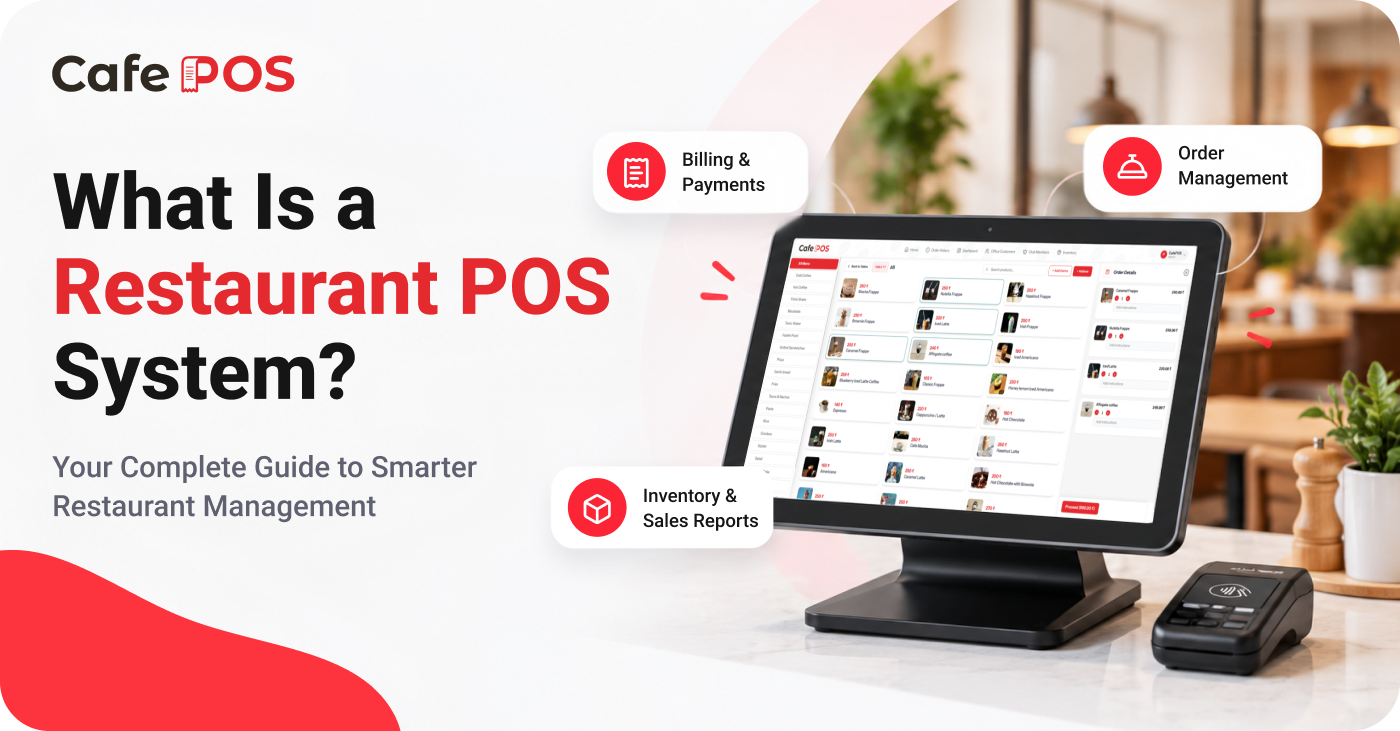
A Point of Sale (POS) system is software used to record sales and help manage everyday restaurant operations. At its simplest, it helps staff select items, calculate the bill, apply eligible discounts or taxes, record payment, and keep a transaction history.
Depending on the product and configuration, a restaurant POS may also support order management, table management, kitchen order tickets (KOT), inventory tracking, customer records, staff permissions, and sales reporting. Not every POS includes every feature, so owners should confirm what is available before choosing a system.
How Does a Restaurant POS System Work?
- Staff select menu items and quantities for a customer order.
- The system calculates the subtotal and applies configured taxes, discounts, or service charges where applicable.
- The order is saved and routed to the appropriate workflow, such as a kitchen ticket or order screen, when supported.
- Staff accept payment using a supported payment method and record the transaction.
- The sale becomes part of the system's transaction history and available reports.
The exact steps depend on whether the restaurant handles dine-in, takeaway, delivery, counter service, or a combination of order types. A good setup should reflect how the team actually works during a busy service.
Why Do Restaurants Need POS Software?
1. Faster and More Organized Billing
Manual billing can slow down service during busy hours. POS software lets staff select items, adjust quantities, apply configured discounts, and calculate totals in a consistent way. Employees should still review the order and bill before completing payment, especially when changes or special requests are involved.
2. Better Order Management
Restaurants may handle dine-in, takeaway, and delivery orders at the same time. A POS can keep order details, item quantities, and order status together, making it easier for staff to check what has been entered and what still needs attention.
3. Clearer Kitchen Communication
Where KOT or kitchen display features are available, order details can be shared with kitchen staff without relying entirely on verbal instructions. Clear item names, quantities, modifiers, and preparation notes can help reduce misunderstandings.
4. Improved Inventory Visibility
Inventory features can help record purchases, stock movement, and available quantities. Some systems can provide low-stock notifications, but the quality of the information depends on accurate product setup, consistent entries, and regular physical stock checks.
5. Useful Sales Reports
Reports can help owners review recorded sales, payment activity, popular items, and busy periods. Comparing consistent time periods is more useful than looking at a single day's total in isolation.
6. Better Customer Records
Where customer management is supported, teams can maintain relevant customer details and understand repeat visits. Collect only information that is needed for a legitimate business purpose and handle it responsibly.
Types of Restaurant POS Systems
Counter-Service POS
Often suited to cafés, quick-service restaurants, bakeries, and takeaway counters, this setup focuses on quickly recording orders and processing payments.
Table-Service POS
For dine-in restaurants, table-oriented workflows can help staff associate orders with tables, manage additions, and coordinate service. Confirm whether the system supports table transfers, split bills, or merging orders if your restaurant needs them.
Cloud-Based and Locally Installed Systems
Cloud-based systems commonly provide access through an internet-connected application, while locally installed systems may store or process some information on local devices. Ask the provider what happens during an internet outage, how data is backed up, and which features remain available offline.
How to Choose the Right Restaurant POS System
- List your main operational problems before comparing products.
- Check support for your order types, menu structure, taxes, discounts, and payment methods.
- Review inventory, KOT, reporting, customer management, and table features against your actual needs.
- Ask about device compatibility, printers, staff permissions, data backup, security, and support hours.
- Understand the complete cost, including subscription, hardware, installation, training, and add-on features.
- Request a demonstration and test common real-world scenarios with your team.
Choose software that staff can learn without unnecessary complexity. A long feature list is not automatically better; reliable performance and a workflow that fits your business matter more than features you will rarely use.
Common Mistakes to Avoid
Avoid selecting a system based only on price, assuming every product supports the same features, or skipping staff training. Incomplete menu setup, incorrect tax settings, inconsistent inventory units, and weak backup procedures can also undermine the value of a POS system.
Frequently Asked Questions
Is a POS system useful for a small café?
It can be useful when billing, order tracking, and sales records are becoming difficult to manage manually. The right choice depends on transaction volume, budget, and the features the café actually needs.
Does a restaurant POS require the internet?
Requirements vary by provider and feature. Confirm whether billing, printing, payments, and reporting continue during an outage, and understand how offline transactions are synchronized later.
How long does it take to set up a POS?
Setup time depends on menu size, hardware, tax configuration, data migration, and staff training. Ask the provider for a rollout plan based on your restaurant's requirements.
Simplify Your Restaurant Operations With CafePOS
CafePOS brings billing, order management, inventory, customer management, table management, and business reporting together in one platform. Review the available features with the team to confirm how they fit your specific workflow.
Whether you operate a café or a restaurant, the right POS system can help organize daily work and support more informed business decisions. The best results come from pairing suitable software with accurate records and consistent processes.
Ready to simplify your restaurant operations?
Visit CafePOS to explore the platform and contact the team.
Explore CafePOS