A restaurant may generate hundreds of transactions every day, but sales figures alone do not tell the whole story. Owners also need to understand which dishes sell well, when customers visit, and where costs may be affecting profitability.
Restaurant sales reports turn transaction records into information that supports better decisions. Reports do not increase profit by themselves; their value comes from asking useful questions, checking the data, and acting on what the numbers reveal.
Why Are Restaurant Sales Reports Important?
Without organized reports, restaurant owners may rely on memory or assumptions when making decisions about menus, staffing, promotions, and purchasing. Regular reporting helps owners identify patterns and compare business performance over time.
For useful comparisons, look at equivalent periods and account for factors such as holidays, opening hours, promotions, weather, and local events. A change in revenue may have several explanations, so investigate before making major decisions.
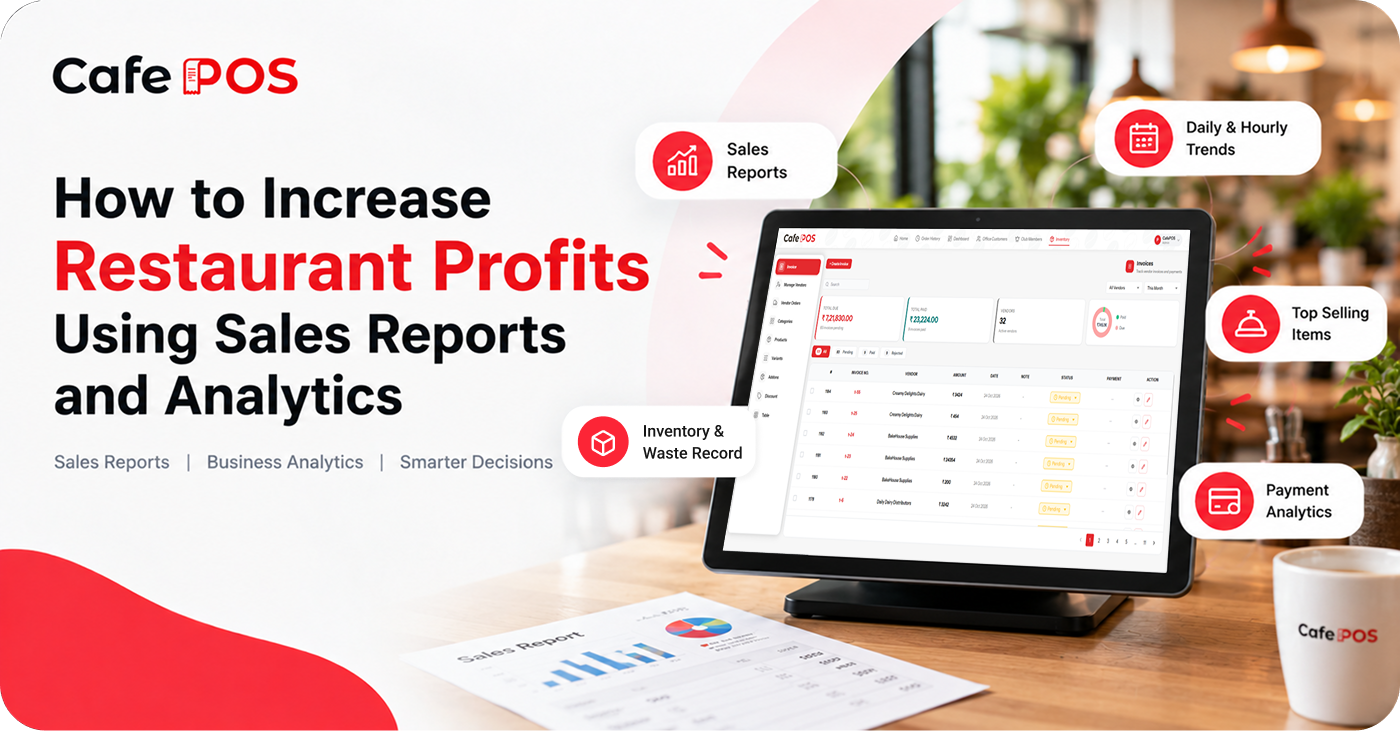
Five Reports Every Restaurant Owner Should Review
1. Daily and Periodic Sales Report
Review total recorded sales and compare performance with previous days, weeks, or months. Look for unusual changes and investigate possible reasons. Check whether the report shows gross sales, discounts, taxes, refunds, and net sales separately so you understand what each figure represents.
2. Best-Selling Menu Items
Identify products that sell frequently. Use this information to plan ingredient purchases, review menu placement, and ensure popular items remain available. Remember that high sales volume does not automatically mean high profit; ingredient, packaging, labour, and other operating costs also matter.
3. Hourly Sales Trends
Understand when your restaurant experiences peak demand. This can help you plan staff schedules, food preparation, and opening tasks more effectively. Compare similar weekdays and seasons to avoid overreacting to a one-off busy or quiet period.
4. Payment Reports
Review payment records to understand transaction patterns and support end-of-day reconciliation. Compare recorded payment totals with cash counts and payment-provider settlements, while accounting for refunds, fees, and settlement timing where applicable.
5. Inventory and Waste Records
Compare stock usage, purchases, and discarded ingredients. These records can help identify unnecessary expenses and opportunities to reduce waste. Investigate repeated differences between expected usage and physical stock rather than simply adjusting the numbers.
Understand Revenue, Costs, and Profit
Revenue is the money generated from sales, while profit reflects what remains after relevant costs and expenses. A restaurant can increase sales and still experience weaker profit if discounts, food costs, labour, rent, or other expenses rise faster.
Use reports alongside supplier invoices, payroll information, inventory records, and other financial data where available. A POS sales report alone may not provide a complete picture of profitability.
How to Turn Reports Into Action
- Start with one specific question, such as why sales fell this week or which dishes have the strongest demand.
- Choose the report and time period that best answer the question.
- Check the data for missing transactions, unusual refunds, or changes in reporting definitions.
- Identify a practical change, such as adjusting prep quantities or testing a menu placement.
- Review results after a reasonable period and compare like-for-like dates.
Make small, measurable changes before committing to a major shift. If you change prices, promotions, staffing, and menu placement all at once, it becomes harder to tell which change influenced the result.
Useful Metrics to Track
Depending on the business, useful measures may include average bill value, orders by hour, item sales mix, discount rate, refund rate, payment method totals, ingredient waste, and repeat-customer activity. Select metrics that connect to a business decision rather than tracking numbers simply because they are available.
Common Reporting Mistakes
Avoid comparing mismatched periods, treating sales volume as profit, ignoring refunds and discounts, or making decisions from a single unusual day. Check that staff record transactions consistently and that menu categories and item names remain organized.
Frequently Asked Questions
How often should restaurant owners review reports?
Daily checks can help with closing and payment reconciliation, while weekly or monthly reviews are useful for identifying trends. The right frequency depends on the size and complexity of the business.
Which report should I start with?
Start with a daily sales summary and payment reconciliation. Once those records are reliable, explore item performance, hourly trends, and inventory information.
Can sales reports tell me which dishes are most profitable?
Sales reports can show which dishes sell most often, but profitability requires reliable cost information for ingredients and other relevant expenses.
Use CafePOS to Understand Your Business
CafePOS offers sales and business reports designed to help restaurant owners review performance and gain visibility into their operations. Confirm the specific reports available for your setup.
By combining reporting with thoughtful planning, owners can make more informed decisions about staffing, menu performance, purchasing, and daily operations.
Ready to simplify your restaurant operations?
Explore CafePOS to discover tools for managing and understanding your restaurant business.
Explore CafePOS