Customers increasingly expect convenient ways to explore restaurant menus. A QR code menu gives customers a simple way to access menu information using their smartphones, without needing to wait for a printed copy.
For restaurant owners, digital menus can make menu maintenance easier and create opportunities to improve the dining experience. The value depends on how the menu is designed and whether it connects to other restaurant systems.
What Is a QR Code Menu?
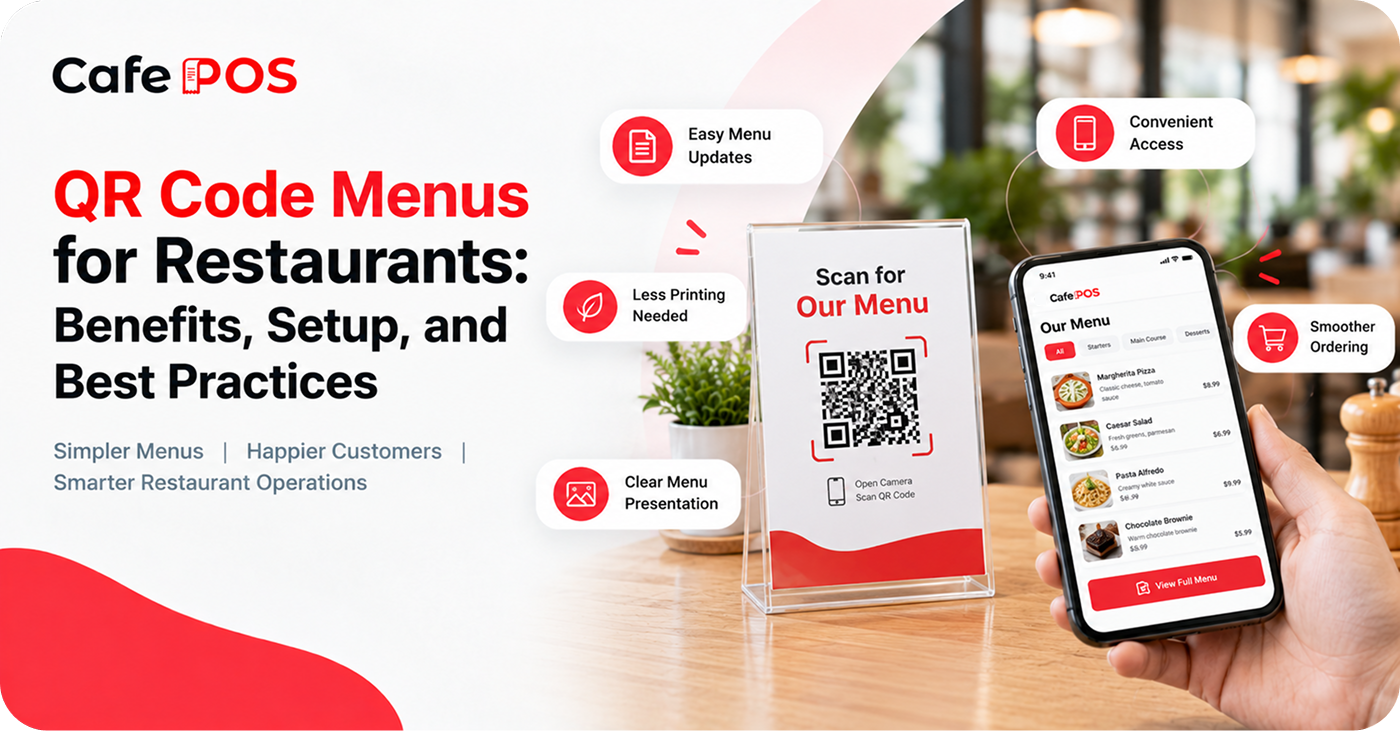
A QR code menu uses a scannable code to direct customers to a digital menu on a website or supported application. The page may show categories, item descriptions, prices, photographs, and dietary information.
Restaurants can place QR codes on tables, counters, takeaway packaging, or promotional material. The customer's experience depends on whether the code opens a view-only menu or a system that also supports ordering and payment.
Benefits of QR Code Menus
1. Easier Menu Updates
Digital menus can be updated without reprinting physical copies. This is useful when prices change, new dishes are introduced, or seasonal specials become available. Make sure updates are published correctly and that any printed QR code still points to the right destination.
2. Convenient Menu Access
Customers can browse menu items and descriptions on their phones without waiting for a printed menu. A clear page structure helps people find categories and compare options quickly.
3. Reduced Printing Requirements
Restaurants that frequently update their menus may reduce the need to print replacement copies. Keep a few physical menus available for customers who prefer them or cannot use a smartphone.
4. Clearer Presentation
A well-organized digital menu can display categories, descriptions, prices, and food photographs in an easy-to-navigate format. Images should represent the actual dishes as closely as possible, and descriptions should be accurate.
5. Potentially Smoother Ordering
When connected to a compatible ordering system, QR menus can allow customers to submit orders digitally. Some setups may also support payment, but these capabilities depend on the platform and configuration.
How to Set Up a QR Code Menu
- Prepare a current digital menu with accurate names, descriptions, prices, and availability.
- Choose a stable webpage or supported ordering platform to host the menu.
- Generate a QR code that points to the correct page.
- Print the code at a size and contrast that makes it easy to scan.
- Test the code on multiple phones and browsers, including on the restaurant's Wi-Fi or mobile network.
- Place codes where customers can scan them comfortably and provide staff guidance for customers who need help.
Best Practices for a Customer-Friendly QR Menu
Keep the Menu Readable
Use clear categories, concise descriptions, legible text, and a layout that works on small screens. Avoid forcing customers to zoom in or scroll through one very long page to find basic information.
Check Every Link and Code
Test QR codes regularly to ensure they open the correct menu. Keep a record of where codes are placed and replace damaged or outdated prints.
Update Availability Promptly
Remove or mark unavailable dishes when necessary. If the menu connects to live ordering, make sure the availability information is synchronized correctly.
Make Scanning Easy
Use sufficient contrast, avoid glossy surfaces that create glare, and place codes where customers can reach them without moving furniture or asking staff.
Protect Customer Trust
Use a recognizable, secure destination and explain clearly if customers are asked to provide information or pay online. Do not request unnecessary personal details just to display a menu.
QR Code Menu vs. Printed Menu
A QR menu can be easier to update and may provide more space for descriptions and photographs. A printed menu is immediately accessible and does not require a charged phone, internet connection, or camera. Many restaurants benefit from offering both options rather than assuming one format suits every customer.
Common Mistakes to Avoid
Avoid tiny or low-contrast QR codes, broken links, outdated prices, poor mobile layouts, and menus that do not clearly show item availability. Test the full customer journey instead of checking only whether the code scans.
Frequently Asked Questions
Does a QR menu automatically accept orders?
No. A QR code may open a view-only menu. Digital ordering and payment require compatible software and appropriate configuration.
Do customers need an app to scan a QR code?
Many modern smartphones can scan QR codes through their built-in camera, but the exact experience can vary by device and settings.
Should restaurants remove printed menus?
Not necessarily. Printed menus remain useful for accessibility, customer preference, and situations where devices or connectivity are unavailable.
Build a More Organized Restaurant Experience
Digital menus work best when they fit into the restaurant's broader ordering process. Keep menu information consistent and make sure staff know how to handle unavailable items or customer questions.
CafePOS provides restaurant tools for billing and order management. Restaurant owners can explore the platform to understand how digital operations may fit their business needs.
Ready to simplify your restaurant operations?
Visit CafePOS to learn more about its restaurant management capabilities.
Explore CafePOS