Food inventory directly affects restaurant operations. Buying too much stock can lead to spoilage, while ordering too little can leave popular dishes unavailable during busy periods. Both situations can increase costs and affect customer satisfaction.
Effective restaurant inventory management helps owners understand what they have, what they use, what gets wasted, and what they need to reorder.
Why Is Inventory Management Important?
Restaurants work with ingredients that have different storage requirements, shelf lives, and usage patterns. Without a clear tracking process, owners may struggle to identify waste, monitor stock consumption, or understand purchasing patterns.
A structured inventory process improves visibility and supports better purchasing decisions. It can also help managers investigate differences between expected and actual stock, rather than relying on guesswork.
Five Ways to Improve Restaurant Inventory Management
1. Maintain an Accurate Stock Register
Record incoming purchases, current quantities, transfers, usage, and adjustments. Update records consistently so employees work with reliable information. Use consistent units for each ingredient; mixing kilograms, grams, litres, and individual pieces without clear conversions can lead to inaccurate counts.
2. Follow FIFO and Safe Storage Practices
FIFO means First In, First Out. Use older stock before newer stock where appropriate, while always following food-safety, expiry, and storage requirements. Label deliveries with relevant dates and store ingredients under the conditions required for their safety and quality.
3. Monitor High-Usage Ingredients
Identify ingredients used frequently in popular dishes. Set practical reorder levels based on average consumption, supplier lead times, storage capacity, and expected demand. A reorder level should be reviewed when sales patterns or supplier reliability changes.
4. Track Food Waste
Record ingredients discarded because of spoilage, preparation mistakes, overproduction, or returned dishes. Reviewing waste patterns can reveal opportunities to improve storage, portion control, staff training, and demand forecasting.
5. Review Purchasing Regularly
Compare ingredient usage with purchasing records and sales trends. Adjust order quantities based on demand, supplier lead times, price changes, and available storage. Avoid buying large quantities solely because a supplier offers a discount if the stock may expire before it is used.
Understand Stock Variance
Stock variance is the difference between the quantity your records expect and the quantity found during a physical count. Variance can result from waste, incorrect portion sizes, unrecorded staff meals, supplier shortages, measurement errors, or missed entries.
Count important ingredients regularly, investigate repeated differences, and document adjustments. The goal is not just to correct a number but to understand why the difference occurred.
How Menu Costing Supports Inventory Control
A recipe or ingredient-cost sheet estimates how much stock is used to prepare a menu item. Keeping portions consistent helps owners compare expected ingredient usage with actual stock movement. Prices, yields, and recipes should be reviewed when suppliers or menu specifications change.
How Technology Helps With Inventory Management
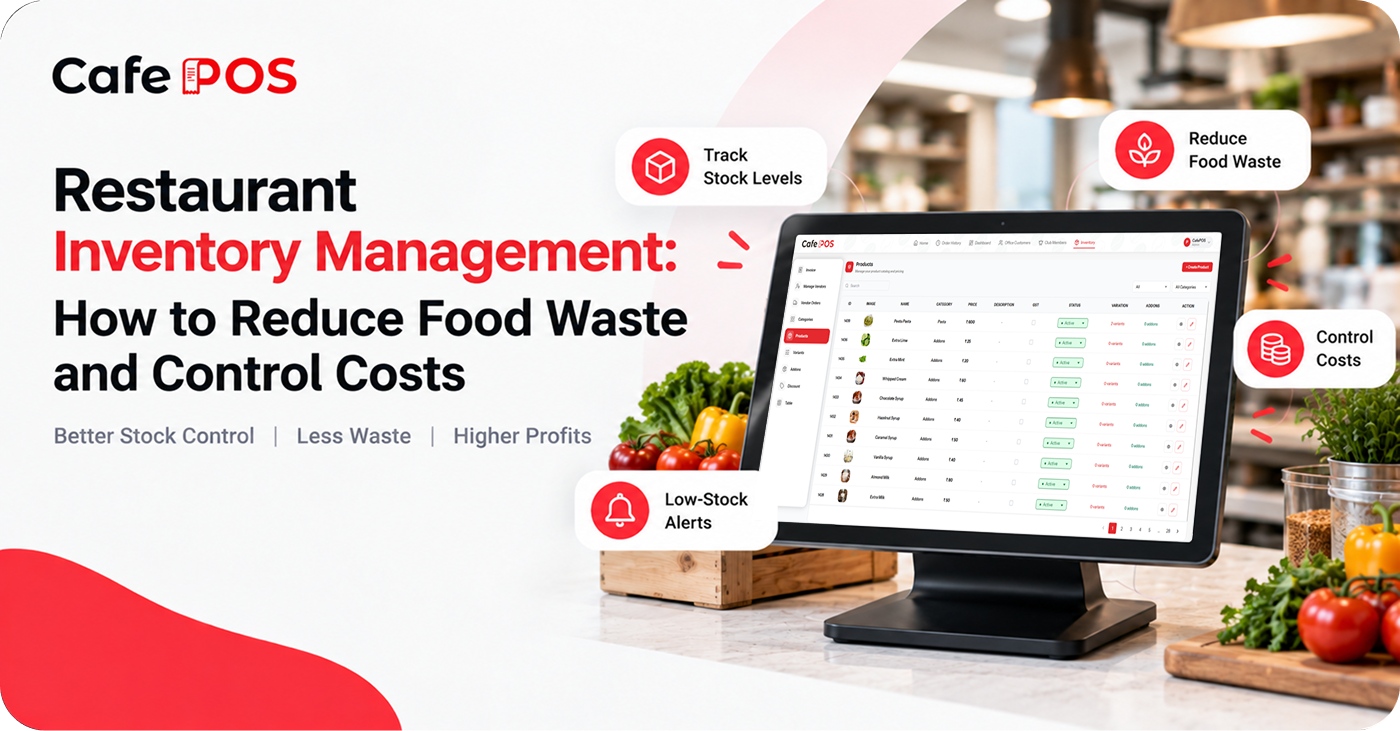
Inventory software can help businesses record stock movements, review available quantities, and identify items that need attention. Where supported and configured, low-stock alerts can help staff plan purchases before essential ingredients run out.
Technology does not remove the need for accurate data entry, correct units, regular physical stock checks, and clear responsibility for recording purchases and wastage. Review how the software handles recipe ingredients, stock adjustments, and transfers before relying on it for decisions.
A Simple Inventory Review Routine
- Check critical and perishable ingredients at the start or end of service.
- Record deliveries and verify quantities against supplier documents.
- Log waste and stock adjustments with a reason.
- Review items below their reorder levels and plan purchases.
- Compare physical counts with recorded quantities on a regular schedule.
Frequently Asked Questions
How often should a restaurant count inventory?
The frequency depends on ingredient value, perishability, usage, and risk. High-value or fast-moving ingredients may need more frequent checks, while less critical items can follow a scheduled cycle count.
What is the difference between inventory and food cost?
Inventory is the stock a business holds. Food cost measures the cost of ingredients used to produce the food sold during a period. Accurate opening stock, purchases, closing stock, and waste records help calculate and interpret food cost.
Can software prevent food waste?
Software can improve visibility and help identify patterns, but waste reduction also depends on forecasting, storage, preparation practices, portion control, and staff habits.
Improve Inventory Visibility With CafePOS
CafePOS offers inventory tracking and low-stock alerts to help restaurant owners monitor stock levels and manage everyday operations. Confirm the available inventory workflows and settings with the team.
Better inventory visibility can support more organized purchasing, reduce avoidable waste, and help keep important menu items available.
Ready to simplify your restaurant operations?
Explore CafePOS to see how inventory management fits into your restaurant workflow.
Explore CafePOS